
Your real availability, live on your own site — students pick a time, pay, and they’re booked, all from their phone. No “call to book”, no sign-up wall, and they can reschedule themselves within the window you set.
45 days free · no card needed
Students see the times you're actually free — pulled live from your calendar and each instructor's availability — so there's no double-booking. The whole flow is built mobile-first, because that's where they book.
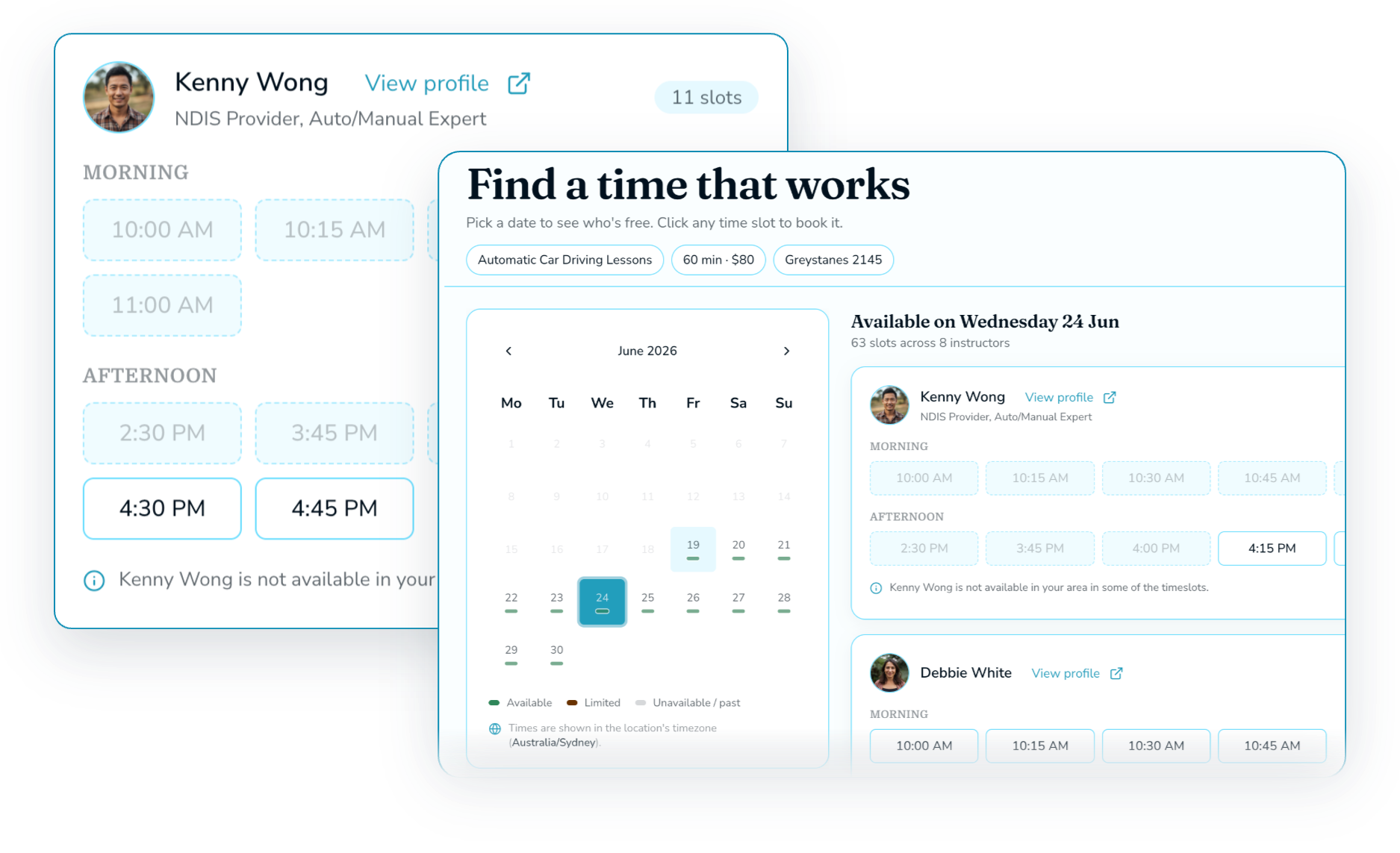
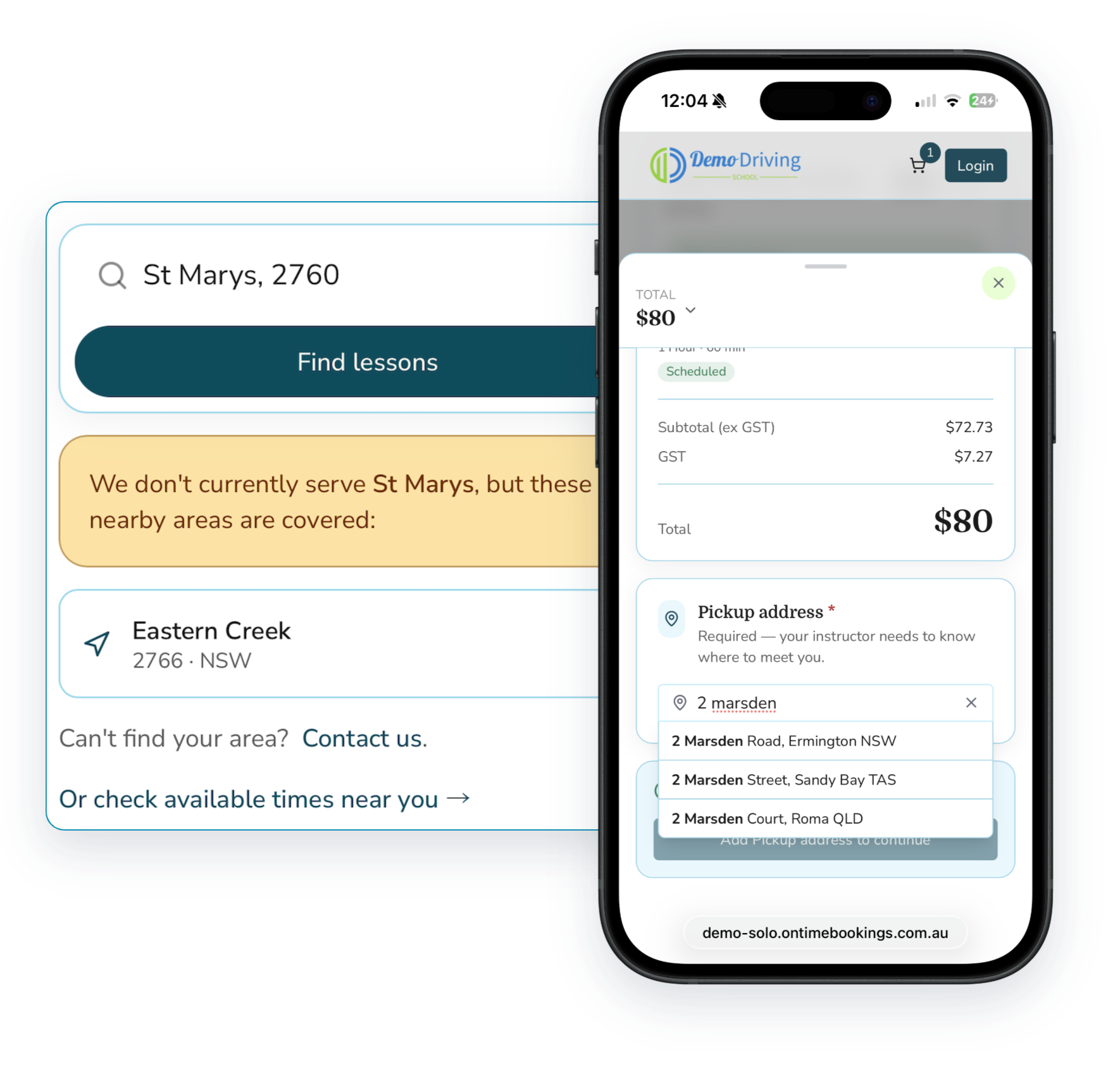
A driving lesson happens at the student's place, not yours — so where they are matters as much as when. OnTime Bookings captures an accurate, Google-verified pickup address and offers times based on where you'll already be, never a generic list of open slots. A booking only lands when it genuinely fits your day and your route.
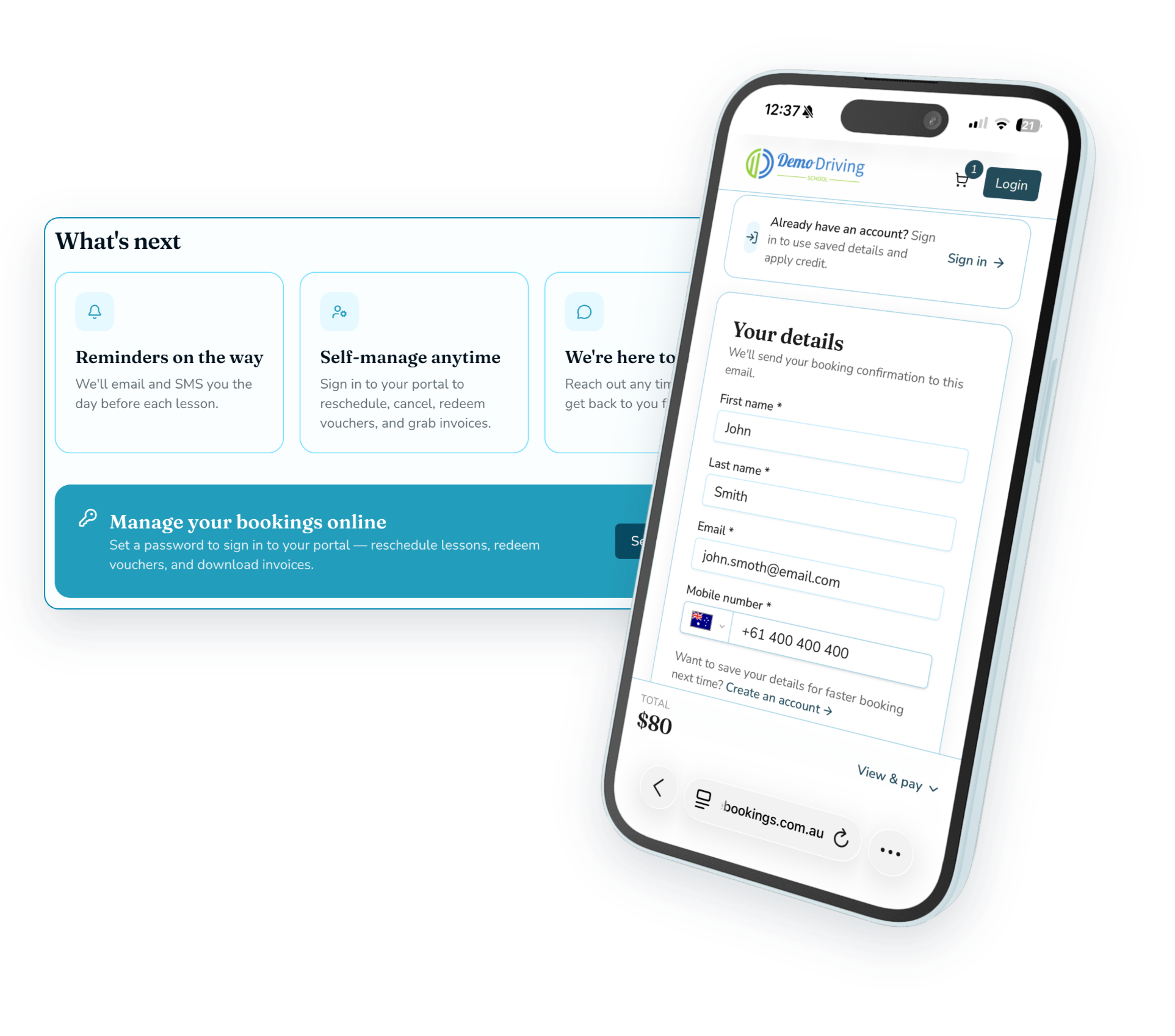
No sign-up wall. Students book and pay as a guest in a couple of taps, then set up a login afterwards in seconds to manage their bookings. You stop losing people at the exact moment they were ready to commit.
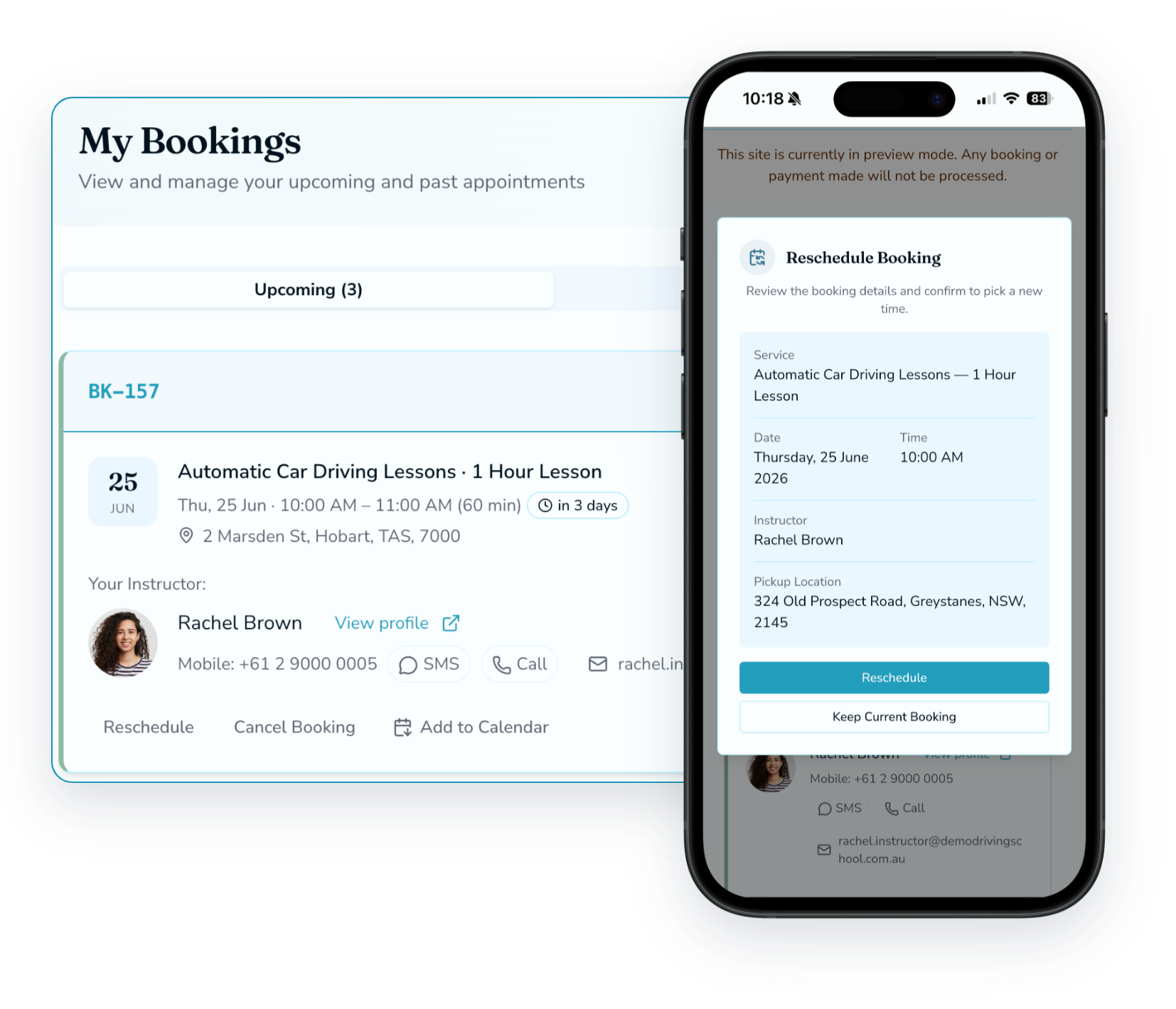
Inside the cancellation window you set, students move or cancel their own lessons — no Sunday-night texts to you. Outside the window, they can't, so your time stays protected.
Not ready for online booking?
Not every school wants to take bookings and payments online from day one — and that’s completely fine. Turn bookings off and run in Availability-only mode: students still see your real open times, but instead of booking, a tap puts them straight in touch with the instructor by text or email.
Thursday — available times
Tap a time to get in touch
Text the instructor Email the instructorNo. Account creation is an optinoal step and a ‘staop-wall’. They book and pay as a guest, then set up a login in seconds from their confirmation if they want to manage bookings later. Removing that sign-up wall means fewer people drop off mid-booking.
Yes. Times come straight from your calendar and each instructor’s availability, so students only ever see slots that are genuinely open — no double-booking. And if an instructor connects their Google Calendar, their personal events block out those times in real time too — students simply see the slot as unavailable, never any detail about why!
Yes, within the cancellation window you set (say, up to 48 hours before). Outside that window they can’t, so last-minute changes don’t cost you the slot. If they really needs to make a last minute change, then they need to call you and as a business owner, you can make a decision whether to refund a credit for a last minute change or panilise the customer!
Use Availability-only mode. Online bookings and payments are switched off; students still see your real available times, and tapping one lets them contact the instructor directly by text or email. You can turn full online booking on whenever you’re ready.
Sell hours or sessions; students mix, match and schedule when they like.